
Transcribe calls without a bot joining
Nobody joins your meeting. Tiro records what you say and what you hear on your Mac, so it works with any call app, and with people sitting next to you.
How it works
Tiro records two tracks: your microphone, and your Mac’s system audio, which is where the other side of a call comes out. That’s why it works with Zoom, Meet, Teams or any other app, without an integration, an invitation or a bot in the participant list. In the room, the microphone hears everyone.
Recording system audio needs one permission, System Audio Recording; Tiro asks for it and links to the right place in System Settings.
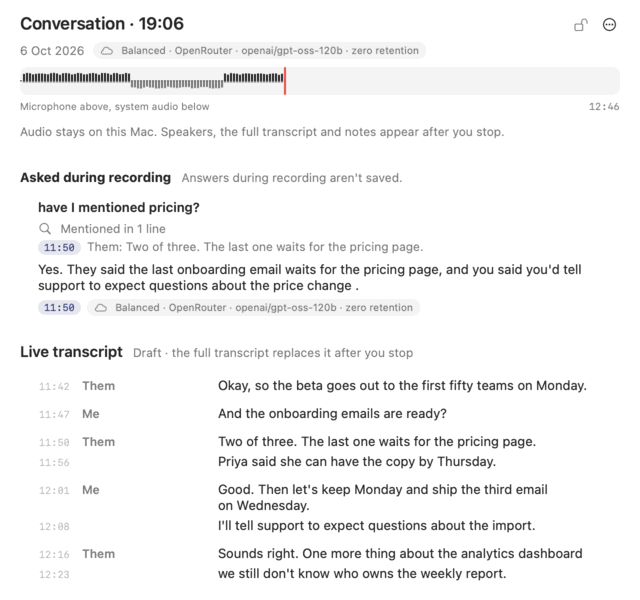
During the call
While you record, a live transcript shows what’s been said. Missed something? Press ⌘L and ask: matching lines appear at once, and the answer follows.
After the call
Your Mac transcribes the recording and tells the voices apart. Name a person once and Tiro recognises them in your next recordings. When you want notes, it writes a summary, the decisions, and the action items with their owners, each linked to the moment it was said.
Tell people you’re recording
Without a bot, nothing announces the recording. Many places require everyone’s consent to be recorded, so tell people and ask first. That part is up to you.
Free. One download for Mac and iPhone. No account.