
Private meeting transcription on your Mac
If a meeting shouldn’t leave the room, its recording shouldn’t leave your computer either. Tiro records and transcribes on your Mac, so the audio never has to be uploaded to be useful.
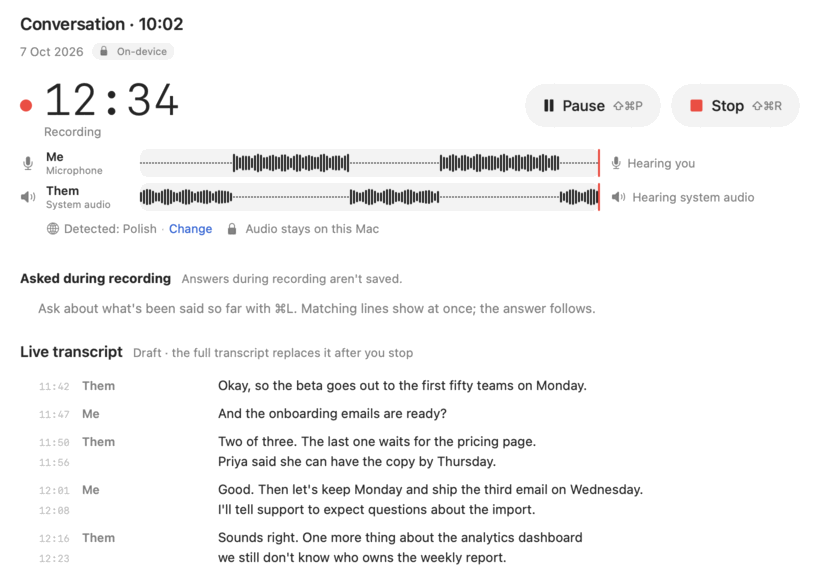
What stays on your Mac
Audio, transcripts, notes and the voices you name are stored on your Mac. Transcription, speaker recognition, notes and answers all run there unless you choose otherwise. We never receive them, and there is no account to sign in to.
Speech models run on your Mac’s Apple silicon: Whisper for about a hundred languages, Parakeet for fast transcripts in 25 European ones. They download once, from Hugging Face, the first time Tiro needs them; nothing of yours is sent.
What can leave, and when
- Recordings from your iPhone reach your Mac end-to-end encrypted, through Tiro’s relay, which can’t read them and deletes them once your Mac has them, or after 7 days.
- Cloud AI, if you choose it. Off by default. With your own OpenRouter key, notes and answers send transcript text, never audio, only to providers that keep no data, and never for recordings you mark private.
- Usage counts, if you agree. Anonymous counts to Tiro’s own server, never what was said, titles or names.
The privacy policy says the same in full.
What you need
A Mac with Apple silicon (M1 or later) and macOS 15 Sequoia or later. The speech and speaker models take about 1.6 GB. Writing notes on your Mac adds an optional language model of about 3.5 to 4.5 GB.
Room for years of meetings
Keeping recordings on your Mac means they use its disk, so Tiro keeps them small: mono audio tuned for speech, about 29 MB for an hour of conversation, less than half of what it used to take. Earlier recordings are converted the same way in the background, never while you record, transcribe or dictate.
If space gets tight, Settings › Storage can archive the audio of recordings older than 3, 6 or 12 months, still playable at lower quality and about 14 MB an hour, or remove the audio of recordings older than 6, 12 or 24 months. Both are off until you choose them, and turning removal on asks first, naming the recordings and the space it frees. Transcripts, notes, speakers and action items are always kept, and a recording you mark Keep Audio is never touched.

Free. One download for Mac and iPhone. No account.